
PicoDate(PICO-8 Emulator for Playdate)
A downloadable game
PICO-8 ON PLAYDATE · EXPERIMENTAL MVP
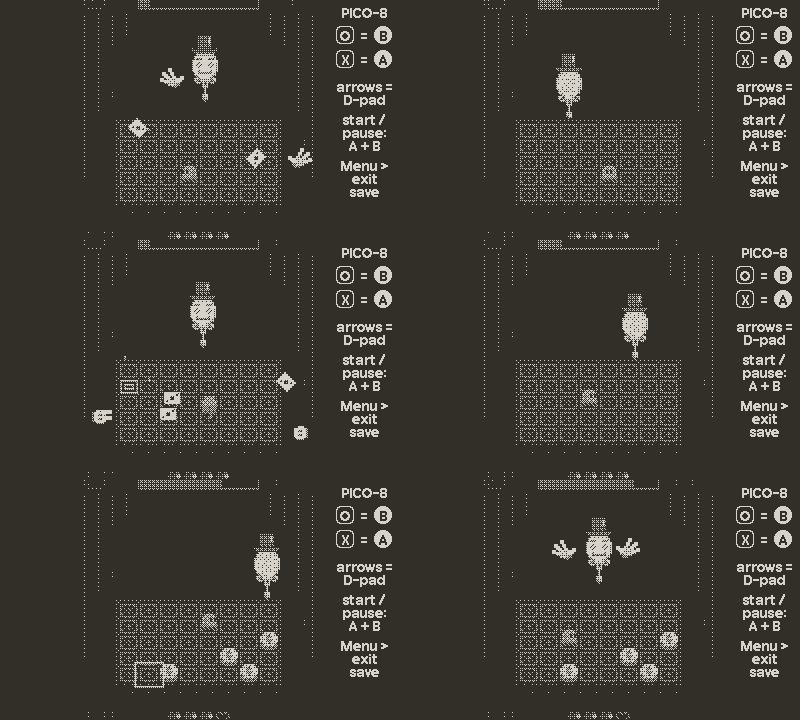
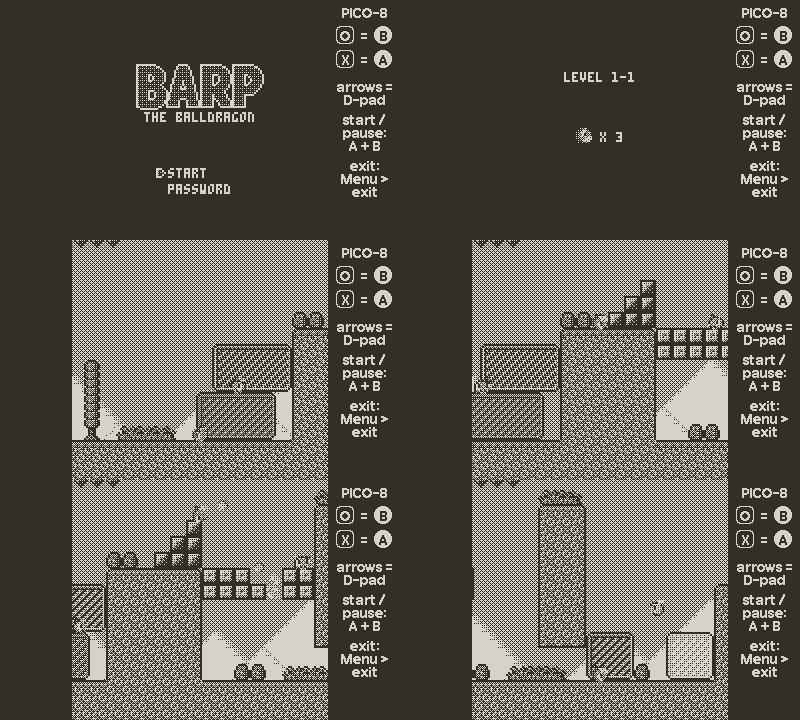
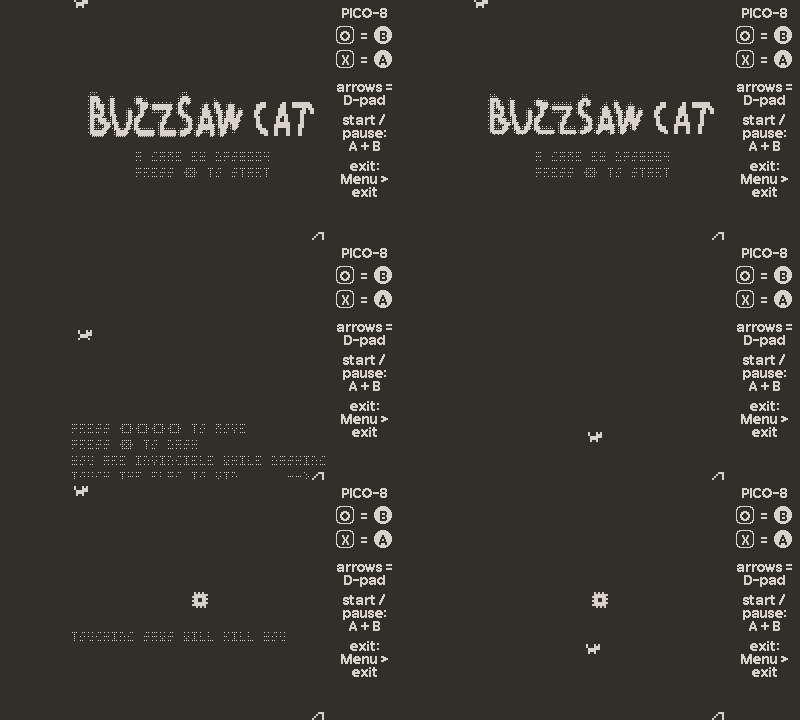
Tiny carts. Big worlds. PicoDate is a PICO-8 emulator for Playdate, built on fake-08. Bring little adventures, puzzlers and arcade games to your handheld, with their pixel worlds translated into black and white.
This is an early, playable MVP. I made it to find out whether playing PICO-8 games on Playdate is something people want. Try it with the games you care about, see how they feel, and tell me what works and what needs attention. Your feedback will help me decide whether to develop it further and where to focus.
WHAT YOU CAN DO TODAY
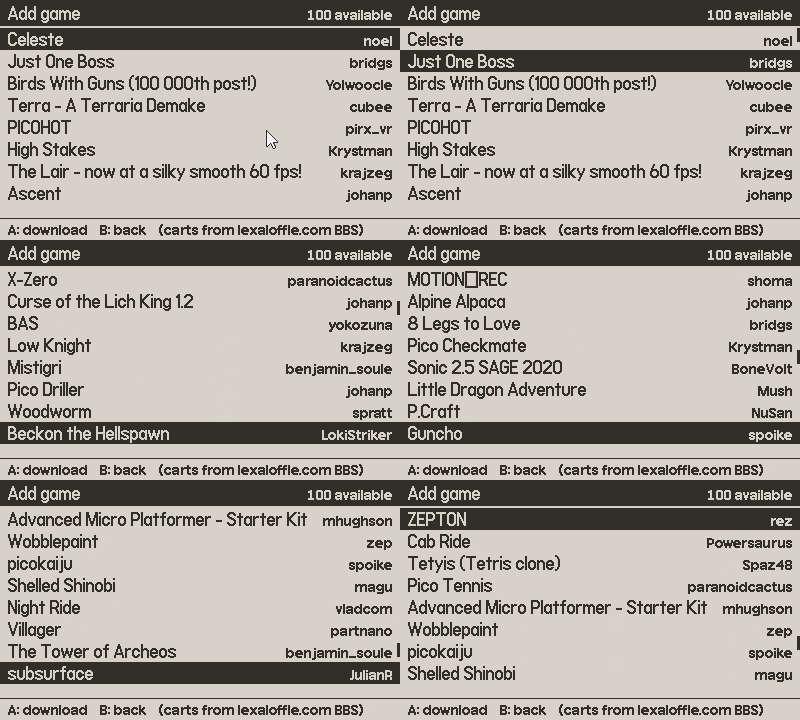
- Browse and download games. Open + Add game to explore the built-in catalog and download a cart directly over Wi-Fi. The catalog lists selected games, rather than the entire PICO-8 library.
- Bring your own carts. Load games in .p8 or .p8.png format by copying them into the Shared/PicoDate folder on your Playdate (see below).
- Keep a pocket library. Launch games from one list, return to it when you want something different, and remove downloaded carts you no longer need.
- Play offline. Once a cart is on the device, you can launch it without downloading it again.
- Choose your monochrome look. Switch between two dithering modes in the system menu to see which makes a game's colours easier to read in black and white.
- Hear the games, too. PICO-8 music and sound effects are emulated alongside the graphics and controls.
ADDING YOUR OWN CARTS
PicoDate keeps your carts in the Playdate's Shared folder, right at the top of the Data Disk, like other emulators do with their ROMs:
Shared/PicoDate/
- Open PicoDate once. It creates this folder on the first launch.
- On the Playdate, go to Settings → System → Reboot to Data Disk and connect it to your computer with a USB cable.
- Open the PLAYDATE drive and go to Shared/PicoDate.
- Copy your .p8 or .p8.png files into it.
- Eject the drive and open PicoDate: the games are in your library.
Games you download with + Add game are saved in the same folder, so everything stays in one place, and installing a new PicoDate build never touches them.
AN EXPERIMENT, NOT FULL COMPATIBILITY
This release is a starting point. Compatibility and performance vary from cart to cart: some games may run slowly, display incorrectly or fail to work. A listing in the catalog is not a guarantee that a game will run perfectly.
PICO-8 games were designed for a colour screen. Translating them to 1-bit graphics changes their appearance, and some details can be harder to distinguish.
The current view uses 2× scaling, making the game image slightly taller than Playdate's screen. Eight of the original 128 pixel rows are off-screen at a time; turn the crank to shift the view up or down.
PicoDate plays cartridges. It does not include the PICO-8 code, sprite or music editors.
CONTROLS
- D-pad: directional controls in games; navigate the library.
- A: PICO-8's X button; launch or download the selected game.
- B: PICO-8's O button; delete a removable cart from the library, with confirmation.
- A + B: open the PICO-8 pause menu during a game.
- Crank: scroll lists; shift the game view vertically while playing.
- System menu: change the dithering mode or choose exit to return to your library.
WOULD YOU USE THIS?
That is the question behind this MVP. Leave a comment with the carts you tried, what ran well, what broke, and whether you would come back to play more.
For a bug report, please include the game's name or link, what happened, and your Playdate model and system version. Suggestions for the next improvement are welcome, too.
CREDITS & THANKS
- fake-08 by jtothebell: the PICO-8 emulator core PicoDate is built on (MIT).
- z8lua by Sam Hocevar: the PICO-8 flavoured Lua that runs the carts (MIT).
- CrankBoy by the CrankBoy team: PicoDate's fast-memory (TCM) optimizations are heavily inspired by their open-source implementation. Thank you!
- Eris by Florian Nuecke: Lua persistence behind save states (MIT).
- Also uses LodePNG, miniz and SimpleIni.
- Every cart belongs to its author. The catalog links to games published on the Lexaloffle BBS: if you enjoy a game, please visit its page and support its creator.
PICO-8 is a trademark of Lexaloffle Games. Playdate is a trademark of Panic Inc. PicoDate is an unofficial fan project and is not affiliated with or endorsed by Lexaloffle or Panic.
Download
Click download now to get access to the following files:
Development log
- PicoDate 0.1.5 · Full Screen, Game Specific optimizations21 hours ago
- PicoDate 0.1.4: Faster frames and Shared carts2 days ago
- PicoDate 0.1.3: A Possible Fix for Rev A Playdates3 days ago
- PicoDate 0.1.2: Just One Boss with Zero Lag, Plus Save States3 days ago
- PicoDate: PICO-8 on Playdate — an early experiment3 days ago
Comments
Log in with itch.io to leave a comment.
Want to report a crash but bun survivors appears to crash when you get summon lightning how ever outside of that the game runs incredibly
would you consider getting the lost night running better that game is made for the playdate
Thanks for the suggestion! 0.1.5 already has special fixes for The Lost Night (about 4–5 → 7–9 fps), but unfortunately that's close to the limit. The game does too much work per frame for the Playdate's CPU, so I don't expect to make it much faster.
Great idea!!! Please continue developping this
I think this app is worth developing. It plays some games well, others not so good. The screen size can be an issue. Games I have briefly tried include Pico World Race and 1.2, Breakout Hero. I’ll try a few others over the next day or two. Nice work.
There are two issues with the screen. The first is that 4 rows of pixels are cut off at both the top and bottom, and unfortunately there’s not much I can do about that. Resizing the image would cause too much distortion.
The second issue is the fill patterns, and that’s something I can experiment with and hopefully improve.
As for performance, that’s exactly why I’m asking people to tell me which games they play. I’ll use those games to test and optimize the emulator as much as I can.
Thanks a lot for the feedback!
Quick update: I used the two games you mentioned to optimize the emulator, and 0.1.4 runs both better:
Both are built in now. Let me know how the other games you try run!
Thanks.
Tried the original and they’re better now. I’ve also tried the following …
Pico Tennis - too slow and screen sizing issues.
Distant Galaxy - speed okay, although top of screen missed off. Plays okay though. Space invaders type game.
Picoshoot ✔️
Putt putt ✔️
Tiny Golf Puzzles ✔️
Sally Star Racer - Too glitchy?
Terra Nova Pinball - works, sort of.
The screen for some games definitely can seem microscopic but the right game works well on it. You also have an almost an unlimited supply of games available and easily downloaded.
Thanks for testing so many games! In 0.1.5:
Thanks again.
I just tried looking for games.
you legend
Thanks! If you have any favourite PICO-8 games that aren't 3D, let me know their names. I'll prioritise optimising the emulator for those games.
Oh cattle crisis mai chan sweet bun anything by lazy devs also bun survivors also slight suggestion you should move the cart folder to the shared folder a lot of emulators do that and it makes adding roms so much quicker
Thanks for the suggestions! Both are in 0.1.4:
Thought of more good pico 8 games pico wars ascent backstreet warriors snake bird and the lost night